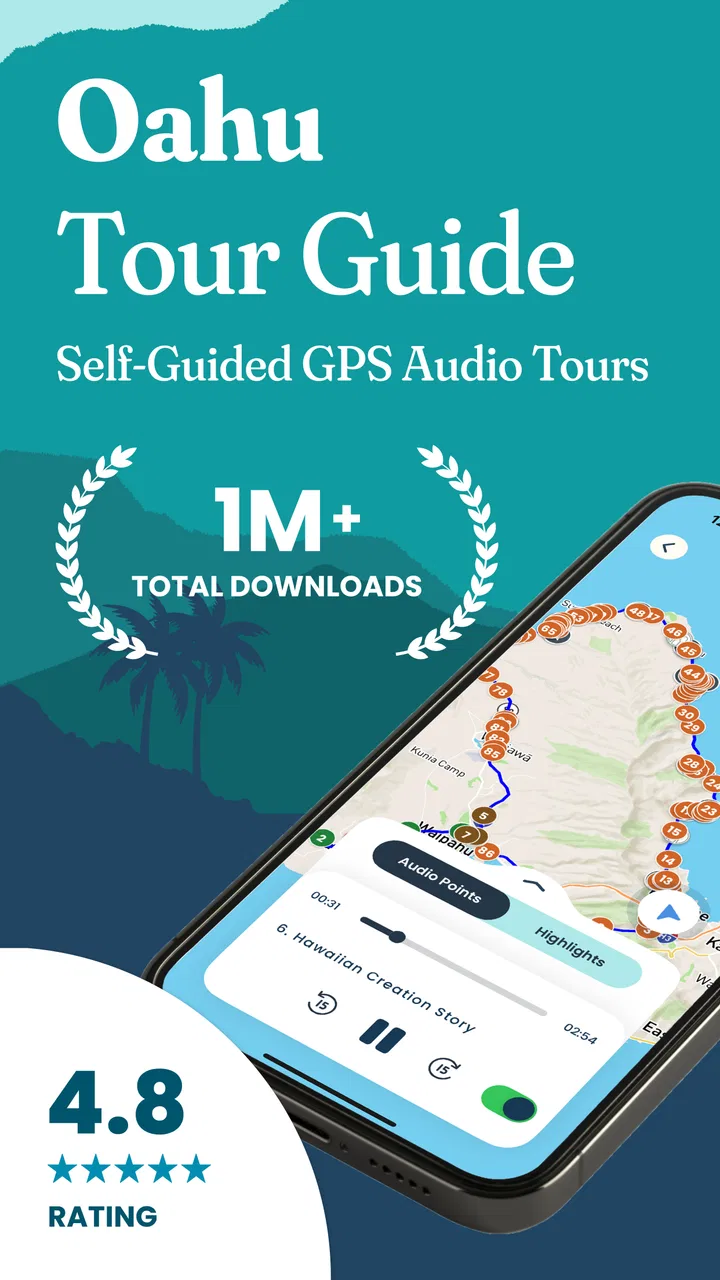
Oahu Hawaii Audio Tour Guide
- 4.8
- Rating
- 50.00K
- Installs
- Free
- Price

 Analysis by App-foxy
Planning a first visit to Oahu can feel surprisingly complicated. The island is easy to admire, but deciding what to see, when to stop, and how to understand the places along the way is harder once you are behind the wheel. Oahu Hawaii Audio Tour Guide approaches that problem as a travel and local app from Shaka Guide, combining an audio-led experience with maps and stories rather than asking you to follow a rigid group tour.
I found the idea most useful for travelers who want context without giving up control. You can explore at your own pace, pause when a beach or viewpoint deserves more time, and keep moving when a stop is not your style. It feels closer to having a knowledgeable voice accompanying a road day than to reading a list of attractions. That distinction matters because Oahu is not just a collection of isolated photo spots; the drive between places is part of the experience.
The app is free to install and is suitable for Everyone, which makes it approachable for families and mixed-age groups. Its current version is 9.2.4, and it runs on Android devices using version 7.0 or later. Optional in-app purchases range from $0.99 to $399.99 per item, so I would pay attention to what is included before committing to anything inside the app. The free entry point is convenient, but the full value depends on which tour material you decide to access.
You May Also Like

 Blood Strike: 2.5 Anniversary
Blood Strike’s Loadouts Turn Every Drop Into a Tactical Gamble
A close look at Blood Strike’s custom loadouts: how fast access to signature weapons reshapes its battle royale rhythm, rewards preparation, and narrows the gap between fights.

 Pandora - Music & Podcasts
Pandora’s Music Is Easy to Start, but Harder to Recover
Pandora’s strength is its low-effort path from a seed to a station. Its weak spot is how much confidence it asks you to place in connection, setup, and quiet recovery.

 8 Ball Pool
8 Ball Pool Is Built on Rivalries, Rematches, and Routine
A close look at the rivalries, rematches, shared routines, and unanswered safety questions that turn a quick pool match into a persistent mobile community.

 Samsung Music
Samsung Music’s Quiet Strength Is Playing What You Already Own
Its reach comes less from spectacle than from dependable access to a personal library. That simplicity is both the app’s strongest retention engine and its ceiling.

 AccuWeather: Weather Radar
AccuWeather Review: A Quick, Clear Forecast for Everyday Decisions
For everyday plans, the best forecast is the one you can understand quickly. AccuWeather makes rain timing, radar, and local conditions easy to act on, with a few trade-offs.

 Hill Climb Racing
Why Hill Climb Racing Still Turns Crashes Into One More Run
A tiny car, a bumpy hill and one more upgrade: Hill Climb Racing keeps resurfacing because its simple chaos makes every near-miss feel personal.
More From Our News Desk



What the Oahu audio experience is really like
The central appeal is simple: instead of staring at your phone for every piece of information, you can listen while the island unfolds outside the window. The app’s store summary highlights maps, stories, and an Oahu audio tour guide, and that combination is more useful than any one element alone. A map helps with orientation, while narration gives a reason to care about the landscape in front of you.
In my experience, this format works best on a flexible driving day. A conventional sightseeing bus gives you a planned route and a guide who controls the timing. A general map app can get you from one place to another, but it rarely explains why a stretch of coastline, a lookout, or a historic area matters. A printed guide gives you more control, but it requires frequent reading and preparation. This app sits between those options: more personal than a group excursion and more informative than navigation alone.
That freedom also creates a responsibility. I would not treat the app as a replacement for safe driving or common sense. The person in the passenger seat should handle the phone, choose stops, and adjust the route. If you are driving alone, listen before setting off and avoid trying to interact with the screen while moving. The best audio guide disappears into the background; it should support the trip, not compete with road awareness.
One detail I appreciated is the way audio can change the mood of an ordinary transfer. A route that might otherwise feel like time spent getting from one attraction to another becomes part of the day. That is especially valuable for first-time visitors who want more than a checklist of famous names. You begin to notice how the scenery, local stories, and practical route choices fit together.
Still, this is not the right tool for everyone. Travelers who prefer complete silence, spontaneous wandering with no commentary, or a professionally led private tour may find the format unnecessary. It also will not remove every planning decision. You still need to decide how much time you have, where to park, and whether a suggested stop suits your group. The guide can improve your choices, but it cannot make Oahu’s traffic, weather, or crowds predictable.
Who will get the most from it
I would recommend it most strongly to a first-time Oahu visitor renting a car, a couple building its own sightseeing day, or a family that wants stories without committing to a fixed tour schedule. It is also a good fit for travelers who enjoy learning in small pieces. You can take in information while looking at the scenery instead of waiting until the evening to read a long travel article.
It is less compelling for someone staying in one resort area and planning to walk or use taxis for the entire trip. The app’s strongest advantage appears when movement between places is part of the plan. Likewise, repeat visitors who already know the island well may prefer a simple map and their own itinerary unless they want a fresh narrative layer.
Starting without turning setup into a project
After installing the app, I would begin with a calm setup session rather than waiting until the rental-car pickup. Open it while you have reliable internet, look through the available Oahu material, and identify the experience that matches your planned area. Doing this before leaving your accommodation gives you time to understand what the app expects from you and avoids making your first attempt during a busy travel moment.
The most important first decision is not which landmark sounds most impressive. It is whether the route fits the shape of your day. If you have only a few hours, choose a compact outing rather than trying to force an island-wide plan into a short window. If you have a full day, leave room for unplanned pauses. An audio guide is most enjoyable when it has breathing space; rushing from one point to another turns helpful narration into another item on a schedule.
I would also prepare the phone for listening. Charge it fully, place it where the passenger can see the map without blocking the driver’s view, and connect it to the car’s audio system if that is convenient for your vehicle. I would not assume that every car setup will behave identically, so test the sound before pulling away. A thirty-second check can prevent the frustrating experience of discovering that the narration is too quiet once the road becomes noisy.
Because the app includes maps and audio, I would review the route before relying on it in a low-signal area. I am careful here not to confuse an audio tour with a complete offline navigation solution. My practical approach is to understand the sequence in advance and keep a separate navigation backup if the day depends on precise directions. The guide should be the source of stories and orientation, while ordinary navigation remains available for unexpected turns or changes.
Another useful preparation step is choosing who controls the experience. In a couple, one person can manage the map and the other can focus on the road. With children, an adult can decide when to pause the narration so that everyone can enjoy a stop. This sounds minor, but it prevents the common problem of several people reaching for the same phone and missing both the scenery and the explanation.
Your first meaningful success
The first successful action should be modest: select a suitable Oahu route or tour, start the narration, and use the map to understand where the next meaningful stop fits into your day. You do not need to complete a grand itinerary to know whether the app works for you. Within the first stretch of the drive, you should be able to tell whether the voice, pacing, and amount of information suit your group.
I suggest giving the experience a fair trial on a route with at least one place where you genuinely want to stop. That creates a clear test. Can you listen comfortably? Does the story make the landscape more interesting? Does the map help you recognize where you are? If the answer is yes, the app has already delivered something valuable, even before you finish the wider route.
Pause deliberately when you arrive somewhere. The point is not to keep the audio running at all times. If a viewpoint deserves photographs, stop the narration and enjoy the view. If the group wants food or a longer break, let the itinerary breathe. I found that the guide works better when treated as a companion that can wait, not as a program that must be completed from beginning to end.
A particularly useful workflow is to let the passenger preview the next section while the driver remains focused. The passenger can decide whether the next stop is worth the available time, then give the driver a simple summary. This avoids the trap of following every suggestion automatically. It also makes the trip feel personal because you are using the guide to shape your day rather than surrendering the day to it.
For families, I would turn the audio into a shared activity. Ask children to listen for a detail and then spot something related outside the car. For adults, pause after an interesting story and compare it with what you can see. These small habits make the content stick better than letting it play as background noise. They also help passengers who might otherwise become restless during longer drives.
Do not judge the app only by how quickly it gets you somewhere. Its purpose is not to beat a navigation app at routing. Its success is measured by whether the journey becomes more understandable and memorable. If you want the fastest possible route with minimal distraction, a standard navigation tool remains the better primary choice. If you want the drive itself to teach you something, this app has a clearer advantage.
Where first-time users may get confused
The first likely confusion is the difference between a free installation and the material available through optional purchases. The app costs nothing to download, but the presence of in-app purchases means I would inspect the available choices carefully before tapping through a purchase screen. This is not a reason to avoid it; it is simply a reason to decide what you actually need instead of assuming every part of the experience is included automatically.
A second point of confusion is the relationship between the map and the audio. A map can show where you are, but it does not necessarily mean that every visible road or attraction is part of the narrated sequence. I would follow the selected experience rather than jumping randomly around the map and expecting narration to appear in the same way. Keeping the route and the story aligned makes the app feel much more coherent.
Some users may also expect a conventional turn-by-turn navigation system. That is not how I would position this product. It is an Oahu audio tour first, with mapping used to support exploration. If you need exact traffic-aware directions, a dedicated navigation app is the safer companion. Using both tools together is not a weakness; they solve different problems.
Another practical issue is audio attention. Narration can be difficult to hear over conversation, road noise, or an enthusiastic group. I would adjust volume before leaving and pause when the car becomes busy. Trying to catch every sentence while everyone talks defeats the purpose. The app is more enjoyable when you accept that some sections can be replayed or simply missed without ruining the day.
There is also a temptation to follow the guide too literally. Weather, opening conditions, parking availability, and the energy of your group can change the best plan. A suggested route should be treated as informed structure, not a command. If your children are tired or the weather turns unpleasant, skipping a stop is the sensible choice. The app remains useful even when your day changes because the stories can still add value to whichever part of the route you keep.
Finally, remember that a high store rating does not guarantee that every traveler will enjoy the same style. The app holds a 4.8 average from around 993 ratings, with roughly 525 written reviews, and it has passed 50 thousand installs. Those figures suggest that many users appreciate the concept, but personal preferences still matter more than popularity. Some people want a human guide physically present; others prefer the privacy and flexibility of listening from their own car.
Getting more value after the first outing
Once the first route feels comfortable, I would use the app as a planning companion rather than opening it only after the car starts moving. Look at the available Oahu experience before deciding how to divide your day. You may discover that a route deserves more time than a quick photo stop, or that combining too many distant areas would leave everyone exhausted. The guide is most useful when it influences the shape of the day early.
Try changing the balance between planned stops and open time. On the first outing, you might follow the main sequence closely to learn how the app works. On a later day, use the narration selectively around places that interest you most. This is one of the stronger trade-offs compared with a bus tour: you can personalize the pace, but you must make more decisions yourself.
I would also keep the passenger involved in navigation decisions. Rather than asking the driver to check the phone at every pause, make one person responsible for reviewing the next section. That person can watch the route, manage playback, and tell the group when a stop is approaching. It creates a smoother rhythm and reduces the chance that the phone becomes a source of distraction.
For travelers comparing alternatives, the choice is fairly clear. Pick a guided bus excursion if you want transportation, a fixed schedule, and a live person handling the route. Pick a general map application if your priority is traffic and direct directions. Pick a printed guide if you enjoy planning in advance and do not mind reading. Choose Shaka Guide’s Oahu app when you want stories attached to a self-directed drive and are willing to manage the practical details yourself.
The developer, Shaka Guide, has kept the product focused on a recognizable travel need rather than trying to make it a general-purpose trip planner. That focus is a strength. You are not installing it for hotel reservations, broad travel administration, or a social feed. You are installing it to make an Oahu drive more informative. The narrower purpose makes it easier to decide whether it belongs in your travel toolkit.
There are limits to how much an audio guide can personalize. It cannot know whether your group prefers beaches, history, food, photography, or quiet roads unless the available route structure happens to match those interests. It also cannot replace local judgment about how long a stop deserves. I would therefore use it alongside a simple personal plan: choose your priorities, leave realistic time, and let the narration enrich the parts of the island you already want to experience.
The app has been available since February 11, 2016, and its continued presence is reassuring for travelers who prefer an established travel tool over an experiment. At the same time, I would still update it before a trip and test the current experience at home. Version 9.2.4 supports a straightforward preparation habit: install early, explore the route, check the audio, and make sure the phone is ready before the first drive.
My recommendation for a first Oahu trip
I would recommend Oahu Hawaii Audio Tour Guide to a first-time visitor who wants more meaning from a self-guided road day. Its best quality is not simply that it speaks while you drive. It gives the journey a narrative shape, helping you connect the map with the scenery and the stop with the story. That can make an unfamiliar island feel less like a sequence of disconnected attractions.
I would skip it if your ideal vacation is completely unstructured, if you dislike spoken commentary, or if you already have a trusted local guide handling every decision. I would also avoid making it your only navigation tool when precise routing is essential. Those are fair boundaries, not deal-breakers. The app works best when its audio and storytelling complement, rather than replace, ordinary travel preparation.
My practical advice is to start small, use the passenger as the app manager, and decide in advance how much of the route you genuinely want to cover. Listen for a while, pause often, and let the island set the pace. If the first meaningful stop feels more interesting because you understood what you were seeing, then the app has earned a place in your trip.
For me, that makes it a worthwhile free starting point for Oahu exploration, with the purchase options deserving a careful look before checkout. It is not a magic itinerary and it does not remove the need for judgment, but it offers something that ordinary navigation rarely does: a more memorable reason to pay attention to the road between the landmarks.
FAQs for Oahu Hawaii Audio Tour Guide
01What is the Oahu Hawaii Audio Tour Guide app?
The Oahu Hawaii Audio Tour Guide is a self-guided travel companion designed to help visitors explore the island at their own pace. It typically combines narrated stories, sightseeing information, historical background, and practical location guidance for popular Oahu attractions. Instead of following a fixed group tour, travelers can choose where to stop and listen while discovering beaches, viewpoints, cultural landmarks, and scenic routes.
02Does the Oahu Hawaii Audio Tour Guide work offline?
Offline availability depends on the specific version of the app and whether tour content is downloaded before you leave a reliable internet connection. Travelers should open the app, download the relevant Oahu tour or audio files, and test playback in advance. This is especially important because some coastal roads, mountain areas, and remote viewpoints may have weak or inconsistent mobile coverage.
03How does the audio tour know where I am?
The guide generally uses your phone’s GPS location to identify nearby points of interest and play or recommend the appropriate narration. You may need to grant location permission and keep location services enabled while touring. GPS accuracy can vary around tall buildings, dense vegetation, tunnels, or mountainous areas, so it is wise to check the map and tour sequence before driving rather than relying entirely on automatic prompts.
04Can I use this app while driving around Oahu?
The app can be useful during a road trip, but it should never distract the driver. Set up the tour, download content, connect audio, and review the route before starting your journey. Ideally, a passenger should operate the app and manage stops. Always obey Hawaiian traffic laws, use designated parking areas, and avoid stopping in unsafe locations simply to hear a particular story or view a landmark.
05What should I know before downloading the Oahu Hawaii Audio Tour Guide?
Before downloading, check whether your device meets the app’s requirements, how much storage the tour requires, and whether the main features are free or require a purchase. Confirm that the narration covers the places you plan to visit and review the available language options. Bringing headphones or a reliable car audio connection, a phone charger, and a backup map can make the experience much smoother.
Pros
- Offline maps and narration are useful when driving without reliable coverage.
- Self-paced stops let you explore Oahu without following a fixed tour schedule.
- Audio commentary adds local history and cultural context to major landmarks.
- GPS-based guidance helps identify nearby attractions while you are on the road.
- Usually costs less than booking a private guide or organized island tour.
Cons
- A rental car is generally needed to use the tour comfortably across the island.
- GPS directions may be less dependable in remote areas or with weak signal.
- Some narration can feel brief compared with a live guide’s detailed explanations.
- Traffic and parking delays can make the suggested route take much longer.
- Content may not replace current advice about closures
- weather
- or safety conditions.

Oahu Hawaii Audio Tour Guide
Gallery